16×
Upscale 1× to 16×
Presets or an exact pixel size. Past 4× lucent chains two AI passes, with a gentler second pass so detail doesn't turn to plastic.
 lucent
Launch app
Runs on WebGPU · no uploads · free
16× AI upscaling that runs entirely on your GPU, inside a browser tab. No uploads. No account. No subscription. No install. Just drop an image.
apollo11-aldrin.jpg · 144 px → 576 px
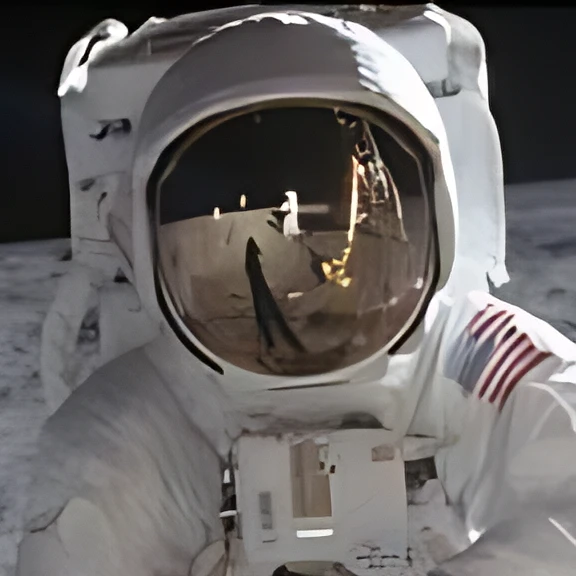
Upscaled 16× in two AI passes, by the same code that runs in your browser. The reflection holds Neil Armstrong and the Lunar Module. (The model reconstructs plausible detail. Great for photos, not for evidence. Sorry, CSI.)
Everything a desktop upscaler does
Presets or an exact pixel size. Past 4× lucent chains two AI passes, with a gentler second pass so detail doesn't turn to plastic.
There's no server to upload to. Images are processed by your GPU and never leave the tab.
Every slider re-runs the model, starting with the tiles in the centre of your view. The image never blanks.
The denoise slider blends two networks' weights, not just their outputs.
Drop fifty images, hit Export all, and they go straight into a folder.
A model for real-world photos, another for anime, illustration and line work. Plus sharpen, film grain and a "preserve original" blend for when the AI gets too creative.
How it works
Your image is cut into 512 px tiles, each padded with 24 px of real neighbours so the seams vanish.
Real-ESRGAN's compact network runs as 34 hand-written WGSL compute kernels in fp16, 3 TFLOP/s.
Pixel shuffle to 4×, then Lanczos to your exact size, blended and sharpened.
Tiles stream back while the GPU starts the next one, nearest-to-your-view first.
Benchmarks, measured, not vibes
NVIDIA Turing laptop GPU, Chromium. Method and raw numbers live in the repository's docs/PERFORMANCE.md.
The honest table
| lucent | Cloud upscalers | Desktop apps | |
|---|---|---|---|
| Your photos leave your device | Never | Uploaded | No |
| Install | None, it's a tab | None | Hundreds of MB |
| Account | No | Usually | Usually, for the licence |
| Price | $0 | Credits / subscription | Paid licence, typically |
| Works on a phone | Yes, with WebGPU | Yes | No |
| Face recovery & video | Not yet | Varies | Often |
Pricing
$0/forever
$0/forever
$0/forever
FAQ
No catch. All the compute happens on your hardware, so there is no server bill to pass on. The app downloads about 6 MB of model weights once (cached afterwards) and that's the only traffic.
Nowhere. They're decoded, enhanced and encoded inside the browser tab. There's no backend to send them to. Open your browser's network panel and watch.
Anything with WebGPU: Chrome, Edge and Brave on desktop, Safari 26+, and Chrome on Android. Half precision (fp16) is used where the GPU supports it, for about twice the speed.
Up to 16× the input size and about 120 megapixels of output, the most a browser canvas holds reliably. Above 4×, lucent runs two AI passes.
Real-ESRGAN's compact models (BSD-3-Clause, by Xintao Wang et al.), converted to fp16 and run on WebGPU kernels written for lucent. No ONNX Runtime, no WASM.
It's reconstructed: the network predicts plausible texture and edges from what's there. That's what makes it look great, and it's also why you shouldn't use it as forensic evidence.
No sign-up. It's already running.